There are many themes for Jekyll, and they cover most common types of websites. The downside is that most of them ask you to write code and make low-level changes. To use them well, you need a deep knowledge of Jekyll and a lot of experience with HTML, CSS, and JavaScript.
J1 is different: it is easy to use, and you do not need to write any code.
Modules
The template gives you a large set of building blocks. With them, you can put modern web pages together in just a few minutes. The main idea behind J1 is to give everyone a complete toolset, so you do not have to start with web development or web design from scratch.
Infinite scroll
Audio Player
Video Player
Screen Reader
Animate on Scroll
Floating Action Buttons
Full-text search engine
Cookie Consent
Translator
Master Header
Clipboard
Smooth Scroll
Advanced Navigation
Lightboxes
Sliders
Galleries
Infinite scroll
Infinite scroll (sometimes called endless scroll) loads more content automatically as the visitor scrolls down the page. Readers can keep reading without clicking to load extra pages.
J1 Template supports infinite scroll. We use it, for example, to load previews of blog articles.
Audio Player
J1 Template can play audio on web pages with the built-in HTML5 player. It also supports custom players built with AmplitudeJS, so you can play audio tracks one at a time.
Video Player
J1 MultiPlayer is a playlist-friendly player built using VideoJS. It lets every video use the same attractive, customizable player and adds a full playlist feature. Viewers can search, sort, play, rate videos, and pick up right where they left off.
Screen Reader
Speak2Me is a text-to-speech (TTS) module for J1 Template. It works like a screen reader: visitors can sit back and listen as the browser reads the main content of the page out loud.
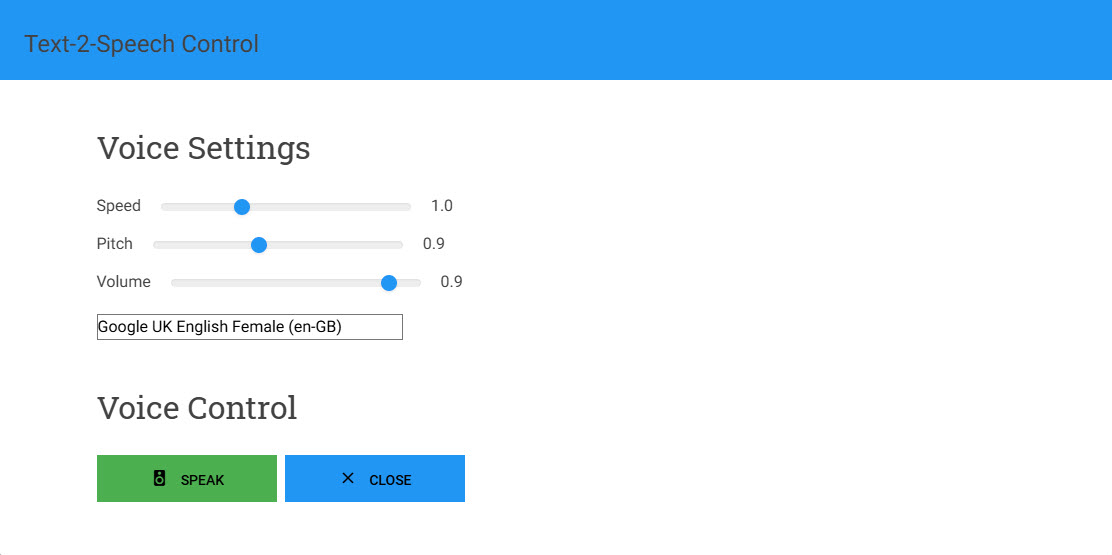
To start the screen reader on a J1 site, click the read icon in the top-right of the menu bar.
Animate on Scroll
Animate on Scroll (AOS) is an easy way to animate elements on a page, such as text, images, photos, and video. The animations play as the visitor scrolls down. Scroll animations help catch the visitor’s attention and make the site feel more dynamic and lively.
Floating Action Buttons
A Floating Action Button (FAB) is part of Google’s Material Design. It stands for the main action on a page or starts an extra feature. FABs are common on the web today. They put important actions within easy reach but keep them separate from the main navigation.
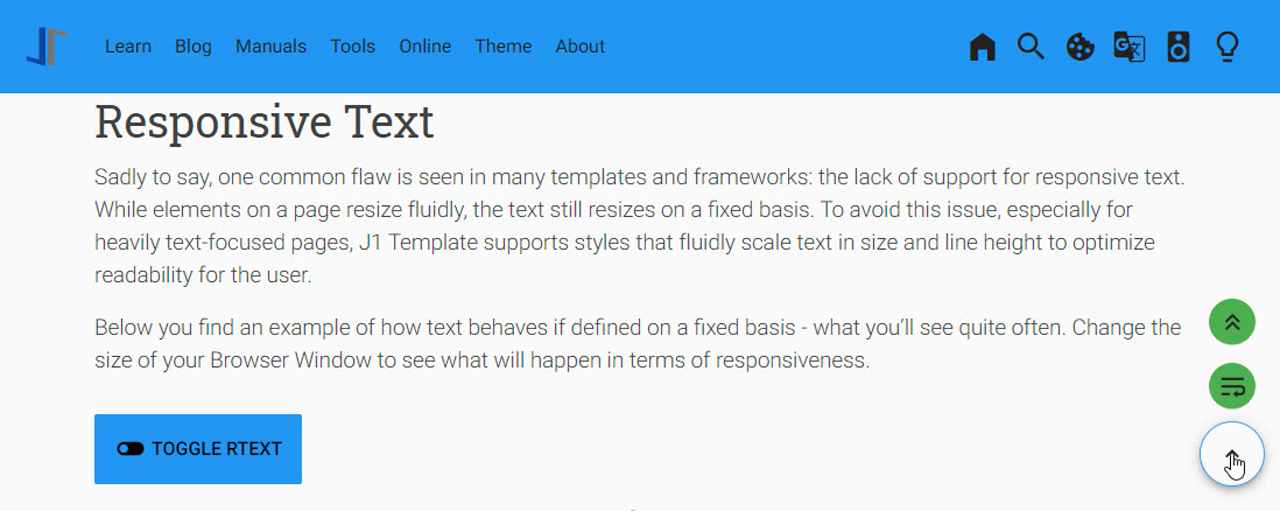
J1 Template supports Floating Action Buttons for in-page navigation. When you tap the FAB, it shows extra related actions, such as opening the table of contents or scrolling the page section by section.
Full-text search engine
A full-text search (FTS) is a powerful way to search every word on your website. It returns results quickly thanks to indexing, and it sorts them by how well they match what the visitor is looking for.
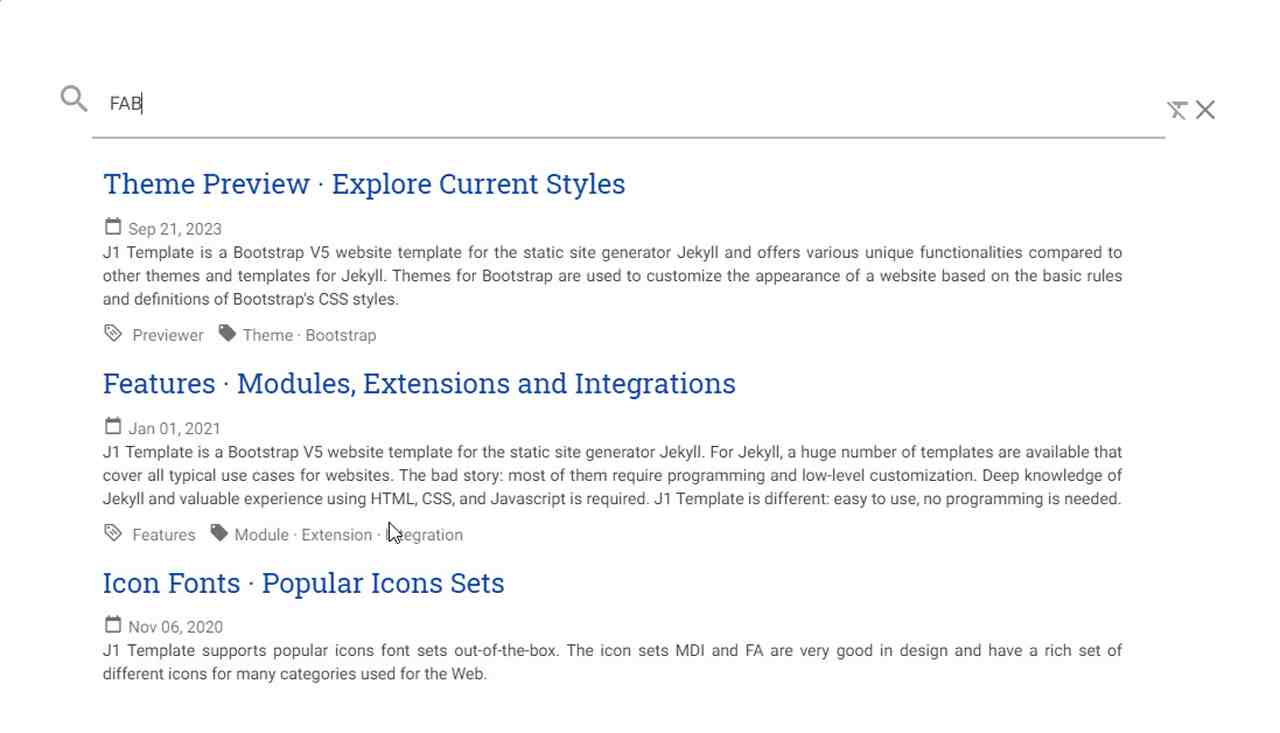
J1 uses Lunr to index the whole website. Lunr is small but full featured. It lets you offer a great search experience right inside the site, with no need for an outside service like Google search.
Cookie Consent
If you run a website in the EU or many other countries, you must follow the General Data Protection Regulation (GDPR). This makes your site follow the ePrivacy rules of the European Union and the countries linked to it.
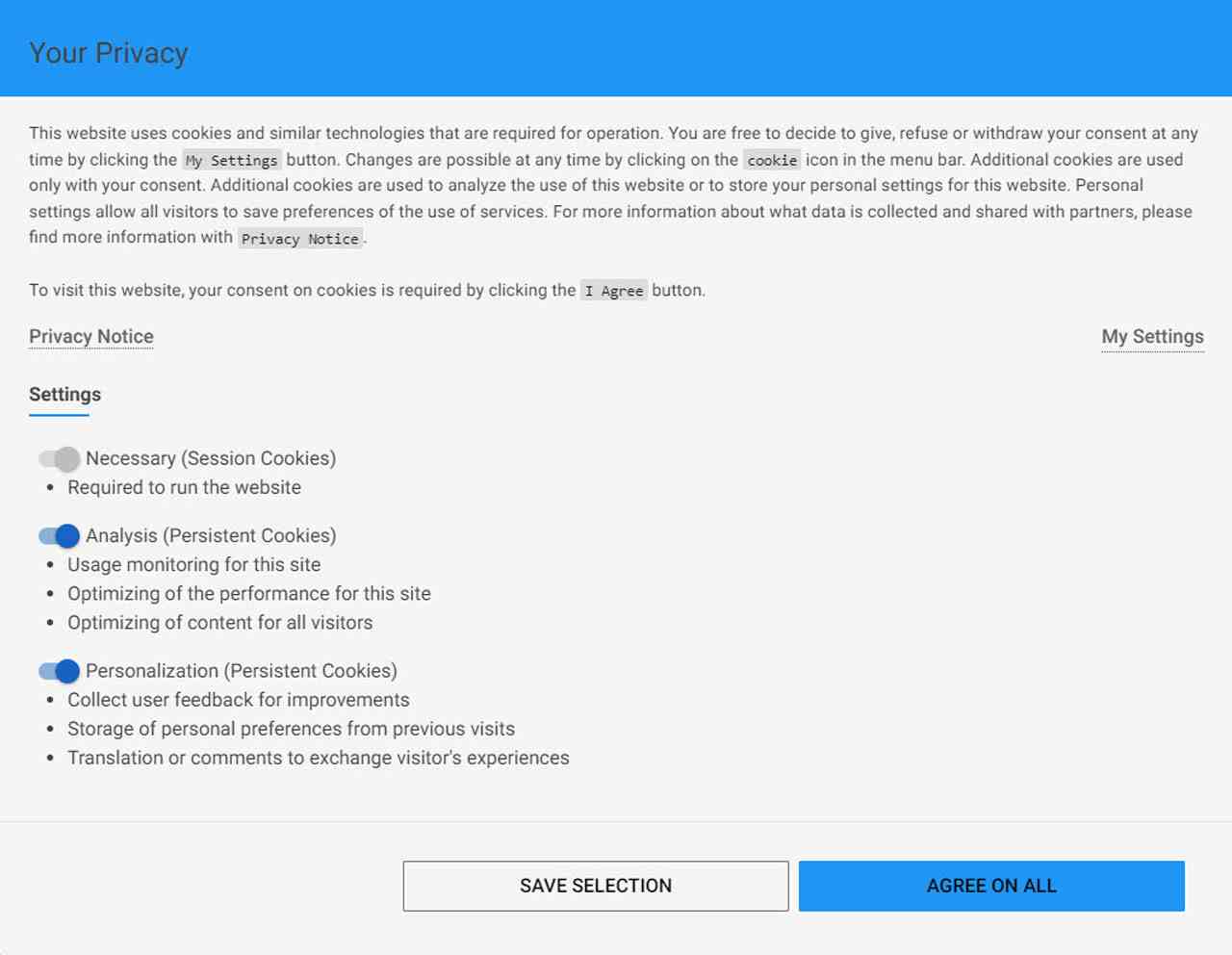
Under the GDPR, most cookies count as personal data, because they can identify visitors. Cookies can also be used to personalise a site and even build profiles of users. So, you need a legal basis to process the data inside those cookies. In most cases, that legal basis is the consent of your visitors to the use of cookies.
The template comes with a configurable, GDPR-compatible module that lets you manage how visitors give or withdraw their consent.
Translator
A website translation feature is useful in many situations. The world is more connected than ever, and English alone is no longer enough. Most online content is still written in English, even though English is only the third most spoken native language in the world.
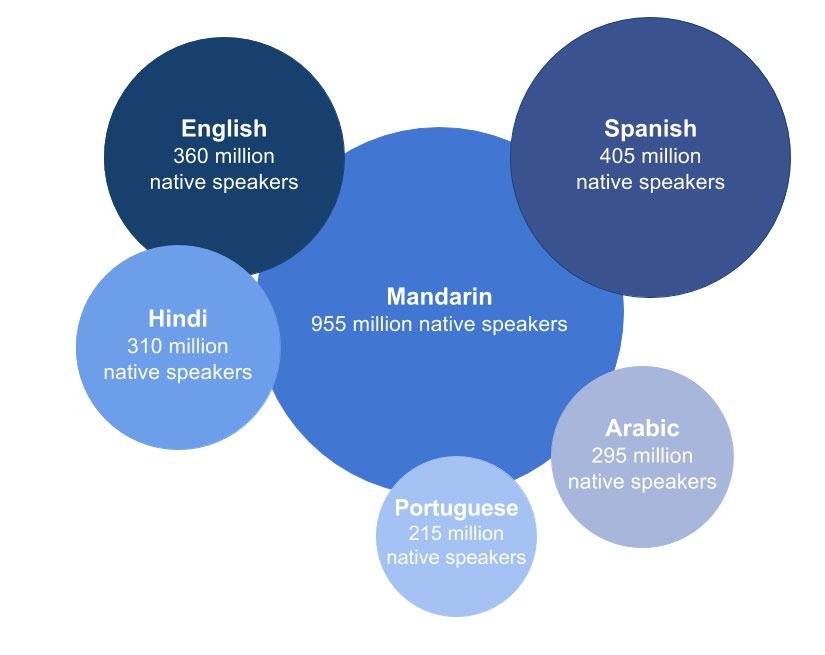
Source: lingohub.com
In 2015, you needed 25 languages to reach 90 percent of all internet users in their native tongue. By 2020, you needed about 48 languages to reach the same share of users.
Localisation adapts a website to local languages and cultures. Translation makes it easier for visitors to read your content and find what they need. A great experience and a clear language are key to building trust in what you offer.
# ------------------------------------------------------------------------------
# ~/_data/modules/translator.yml
# User configuration settings for J1 Translator module
#
# Product/Info:
# https://jekyll.one
#
# Copyright (C) 2023-2026 Juergen Adams
#
# J1 Template is licensed under the MIT License.
# See: https://github.com/jekyll-one-org/j1-template/blob/main/LICENSE
# ------------------------------------------------------------------------------
# ------------------------------------------------------------------------------
# Description
#
description:
  title:                                J1 Translator
  scope:                                User settings
  location:                             _data/modules/translator.yml
# ------------------------------------------------------------------------------
# User configuration settings
#
settings:
  # ----------------------------------------------------------------------------
  # GENERAL options
  # ----------------------------------------------------------------------------
  #
  enabled:                              true
  # ----------------------------------------------------------------------------
  # Translator options
  # ----------------------------------------------------------------------------
  translatorName:                       google
  contentLanguage:                      en
  dialogLanguage:                       auto
  translationLanguage:                  de
# ------------------------------------------------------------------------------
# END config
J1 connects to the free translation service from Google Translate (GT) and the professional translation service from Deepl (DT). If you want to reach a wider international audience, translation makes it quick and easy to share your site with the world.

GT is fully connected to our GDPR-compatible Cookie Consent module. If a visitor does not accept the cookies that Google Translate needs, GT is turned off automatically and any related Google cookies are deleted from the visitor’s device.
Master Header
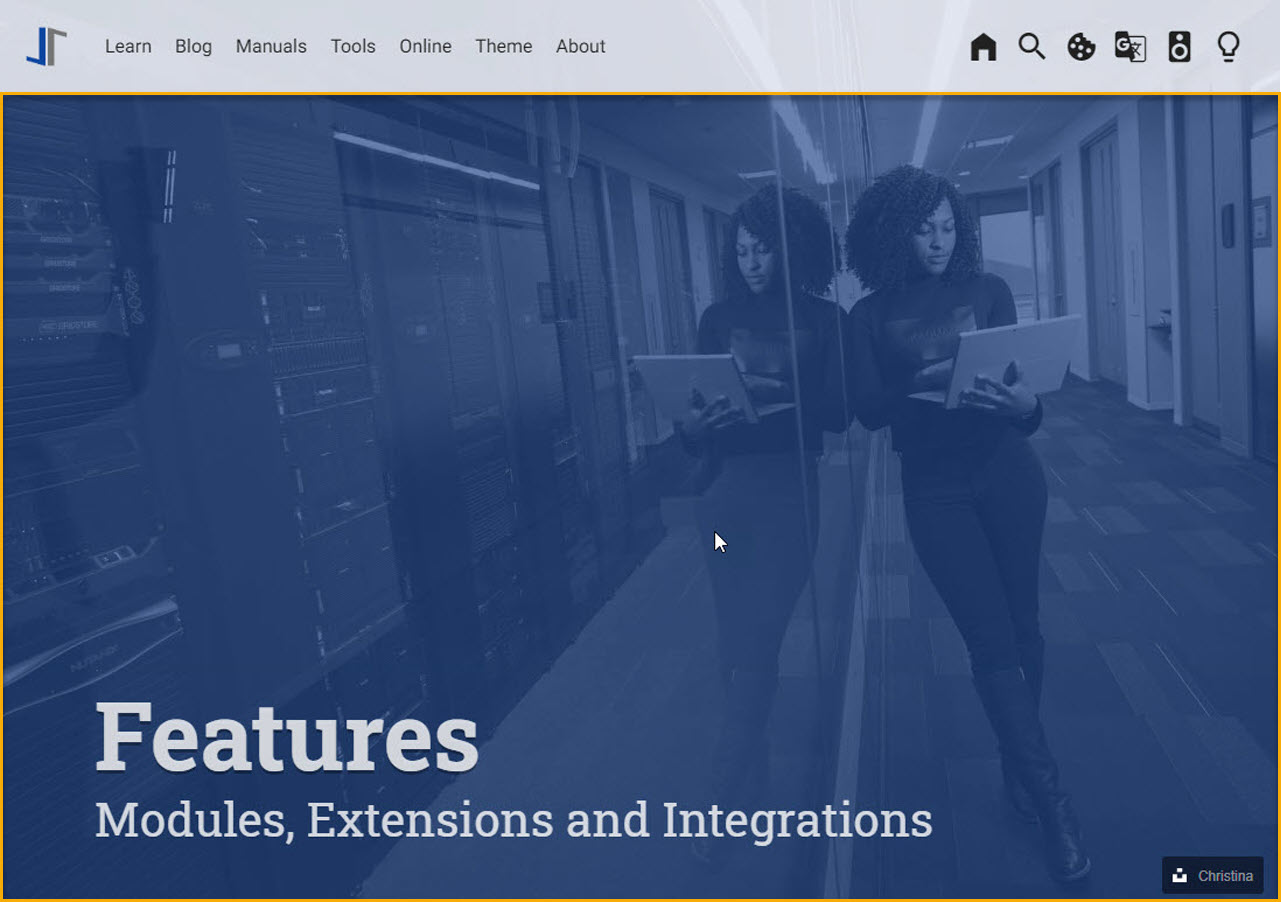
The very top of a page matters a lot — it is the first thing your visitor sees. The Master Header (also called the Attic) gives the reader a first impression of what the page is about.
The Attic can hold (dynamic) text, images, or videos to support the content on the page.
Clipboard
The clipboard is a feature in your operating system, on both desktop and mobile devices. It briefly stores text or other data you have copied. Once something is on the clipboard, you can paste it somewhere else.
| Click the COPY button in the top right of the source code block below. |
// ---------------------------------------------------------------
// helper functions
// ---------------------------------------------------------------
function styleSheetLoaded(styleSheet) {
  var sheets     = document.styleSheets,
      stylesheet = sheets[(sheets.length - 1)];
  // find CSS file 'styleSheetName' in document
  for(var i in document.styleSheets) {
    if(sheets[i].href && sheets[i].href.indexOf(styleSheet) > -1) {
      return true;;
    }
  }
}
J1 lets you use your system clipboard to copy and paste examples or code from a page. It makes it much easier for readers to use the code snippets you share.
Smooth Scroll
Smooth Scroll (SSR) is a J1 feature that improves how the page jumps to anchor links. When SSR is on, the browser slides smoothly to the target heading instead of jumping there suddenly, and it lines up the heading at exactly the right spot.
Advanced Navigation
When it comes to usability, your visitors notice one thing first: the navigation system. The navigation system in J1 Template is a flexible multi-purpose menu builder based on the Bootstrap V5 framework.
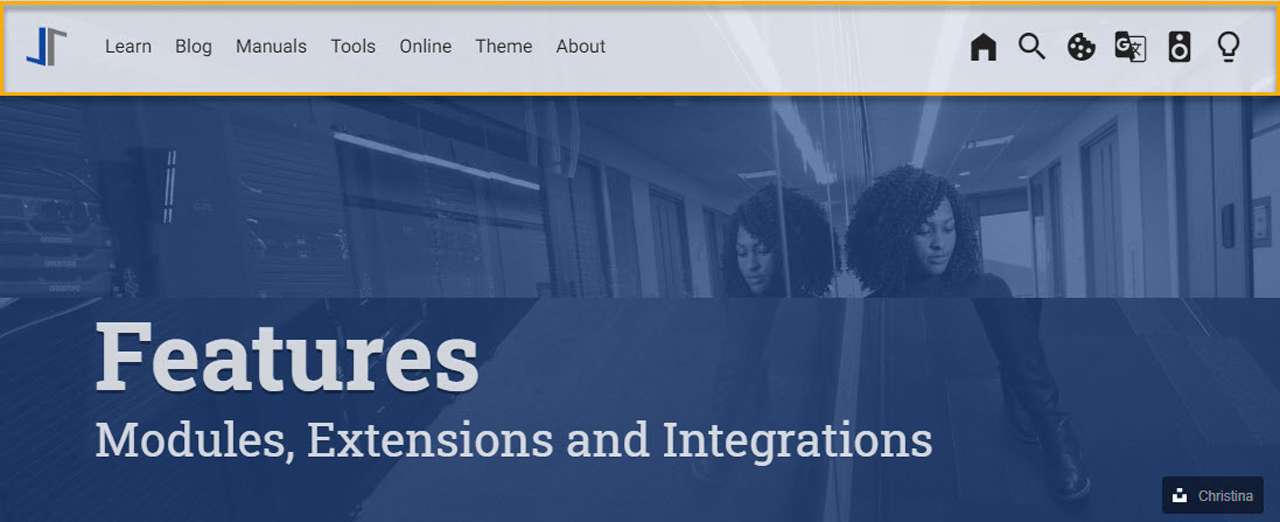
The NAV module in J1 has four configurable parts:
-
Navigation Bar
-
MainMenu
-
Quicklinks
-
TopSearch
You can set up every feature through configuration. No code is needed.
  # ------------------------------------------------------------------------------
  # Menu MANUALS
  #
  - item:                                 Manuals
    sublevel:
      # --------------------------------------------------------------------------
      # Resources
      #
      - title:                            Resources
        icon:                             bread-slice
        dropdown:
          - title:                        Country Flags
            href:                         /pages/public/manuals/resources/country_flags/
            icon:                         flag
          - title:                        MD Color Palette
            href:                         /pages/public/manuals/resources/color_palette/
            icon:                         format-color-fill
Lightboxes
A lightbox is a small overlay that pops up when a visitor clicks an image. It enlarges the image to fill most of the screen and dims the rest of the page, so the picture gets all the attention. The trick was made popular by a JavaScript library called Lightbox 2 in 2005, and the name has been used for similar tools ever since.
The J1 Template offers three lightbox options:
-
PhotoSwipe Lightbox V5 (default)
-
Lightbox V3 (optional)
-
lightGallery (optional)
The default is PhotoSwipe Lightbox V5. It is free for both private and business websites and works equally well on desktop computers and mobile devices. On a phone, you can swipe, pan, and pinch-to-zoom in the lightbox just as you would in a native app.
.Lightbox V3
lightbox::lb-example--template-features[ 300, {data-lb-example--template-features}, group ]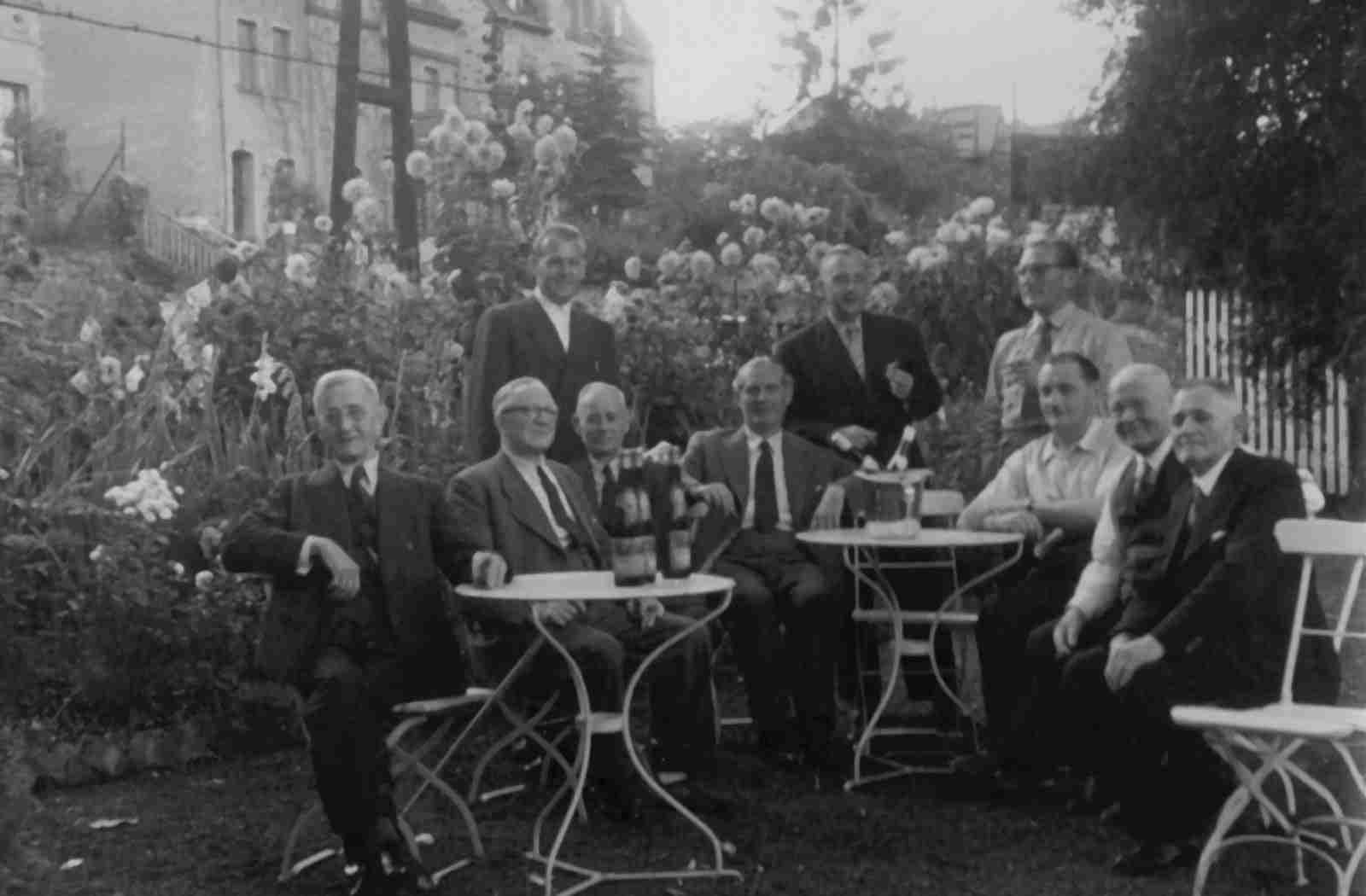
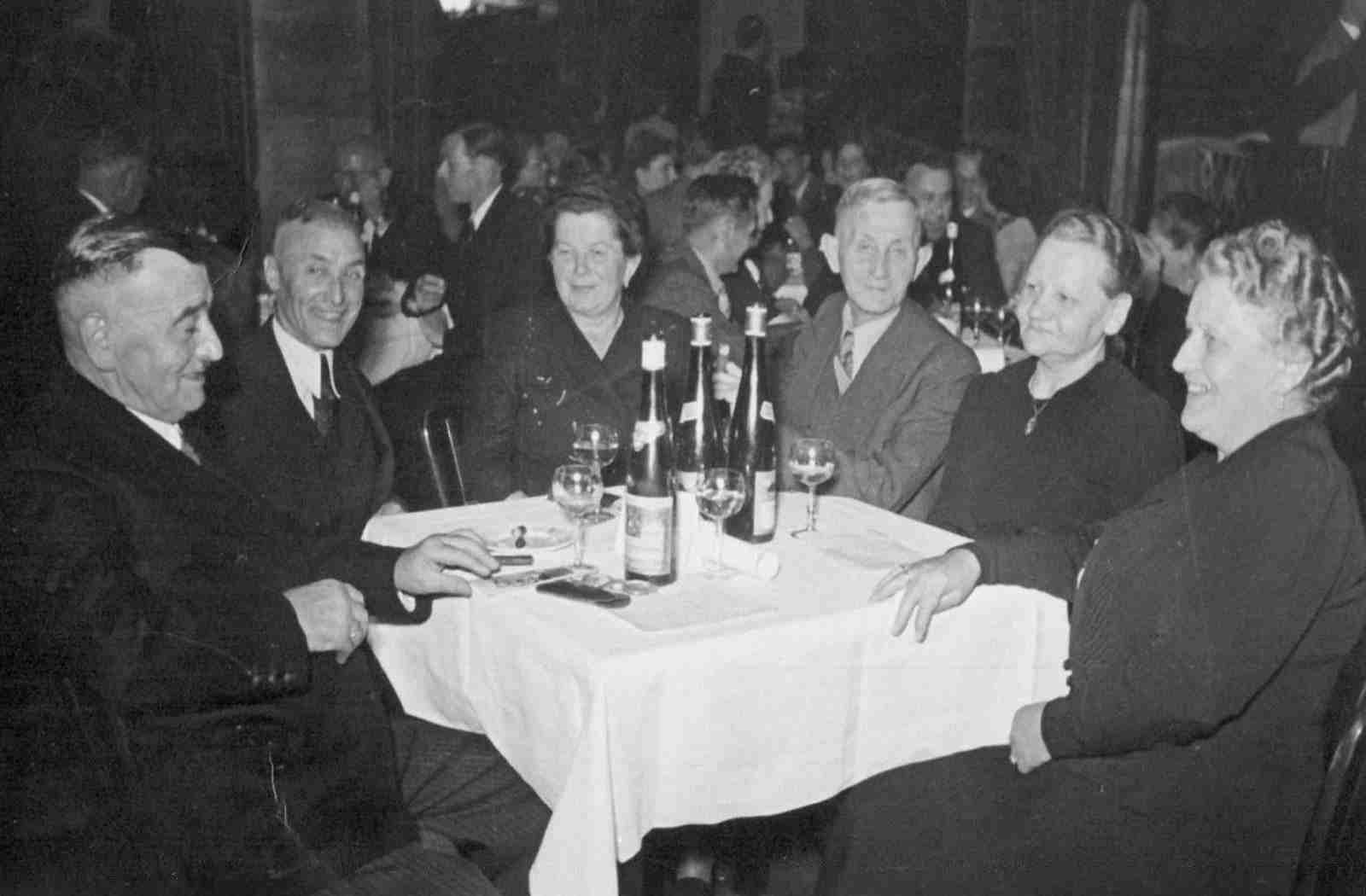

For more advanced cases — such as galleries with thumbnail previews or video support — you can use LightGallery instead.
.LightGallery
gallery::jg_old_times[ role="mb-4 wm-800" ]Sliders
SwiperJS is a JavaScript library that creates modern slide shows. All sliders use hardware-accelerated features, such as 3D transitions, to perform well on modern devices. SwiperJS sliders look great on every type of website, whether you view them on a desktop computer, a tablet, or a smartphone.
Text Sliders
Sliders are mainly used for images, but the version in J1 Template also supports many other sources for a slide — including plain text.
.Base Text Swiper
swiper::swiper_text_base[role="mt-4 mb-5"]A more eye-catching kind of text slider is the parallax text slider. If you want to highlight a strong message, this kind of slider is a great choice. Parallax text sliders also work well as banners on a page.
.Extended Text Swiper · Parallax
swiper::swiper_text_parallax[role="mt-4 mb-5"]Image Sliders
Sliders (also called swipers or carousels) are mostly used for showing a group of pictures with smooth animation. Below are some examples that use the basic image sliders.
The first example is a full-width slider with pagination turned on, so visitors can move back and forth through the images. The pagination dots below the slider also show how many slides the show has, so visitors always know where they are.
You can also place strong statements or key topics at the top of an article or section to make them stand out. With a single line, you can show a series of facts that move past the reader’s eye and grab their attention.
Galleries
Image and video galleries let you arrange groups of images or videos in many different ways. J1 supports JustifiedGallery, a great jQuery plugin that builds responsive, infinite, and high-quality justified image galleries. The gallery uses a so-called masonry grid layout. It places elements in the best spot based on the available horizontal and vertical space — much like a mason fitting stones into a wall.
Image Galleries
Masonry is a great tool for J1 to build dynamic image galleries. Image galleries are popular on many websites, and Masonry is a useful way to build them.
With the Masonry module, you can build a gallery that shows images of different sizes in a way that looks great and works well.
JustifiedGallery is a great jQuery plugin that builds responsive, infinite, and high-quality justified image galleries. J1 Template combines the gallery with the supported lightboxes, so visitors can click an image to enlarge it. See the gallery below in action — it is also fully responsive. Try resizing your browser window to see how the layout adjusts.
The pictures you take are usually not all the same shape. They may share the same size (resolution), but some are landscape and others are portrait. To handle this well, you need a more advanced gallery that creates so-called justified views.
Each image is placed in the best spot based on the available horizontal and vertical space — like a mason fitting stones into a wall. You have probably seen this style of gallery many times across the web.
Video Galleries
A video gallery is a collection of videos arranged around a topic, theme, or purpose. The gallery module (lightGallery) for J1 Template is a fast, modular, and responsive plugin for building beautiful image and video galleries.
.YouTube Video · Adele and James Cordon
gallery::jg_video_youtube_james_and_adele[]Extensions
Frameworks like Bootstrap and Asciidoc are very flexible and customisable. Changing or adding parts to a framework usually takes a lot of experience. That is not how J1 works. The customisations for the base frameworks are already prepared, simple to use, and ready to go out of the box.
Bootstrap extensions
J1 includes a set of Advanced Bootstrap Modals (ABM), based on the free Material Design for Bootstrap package. Bootstrap modals are pop-up dialogs that you can use to show notifications to your visitors.
You can use modals to draw attention to important messages that should not be missed. ABMs are a great choice when you want a message to stand out. With the predefined modal styles in J1 Template, you can give each message the right tone — from a friendly info note to a simple warning, or to a critical alert.
It is hard to design responsive HTML tables that look good on every screen. J1 includes responsive HTML tables for Bootstrap that work well on mobile devices.
| Variable | Description |
|---|---|
| The content of the page, rendered or unrendered, depending on which Liquid is being processed and which |
| The title of the page. |
| The date assigned to the post. You can override this in a post’s front matter by entering a new date and time in the format |
Asciidoc extensions
J1 Template ships with a set of Ruby-based extensions for Asciidoctor. With these extensions, you can add lightboxes, galleries, icon fonts, and other complex elements to your content pages using simple Asciidoc tags.
mdi:home[2x, mdi-pulsed ml-3 mr-2 mb-2] Symbol icon (pulsed)
mdi:font-awesome[2x, ml-3 mr-2 mb-2] Brand icon
mdi:apple[2x, md-indigo ml-3 mr-2] Brand icon (colored)
Symbol icon (pulsed)
Brand icon
Brand icon (colored)
Banner and Panel
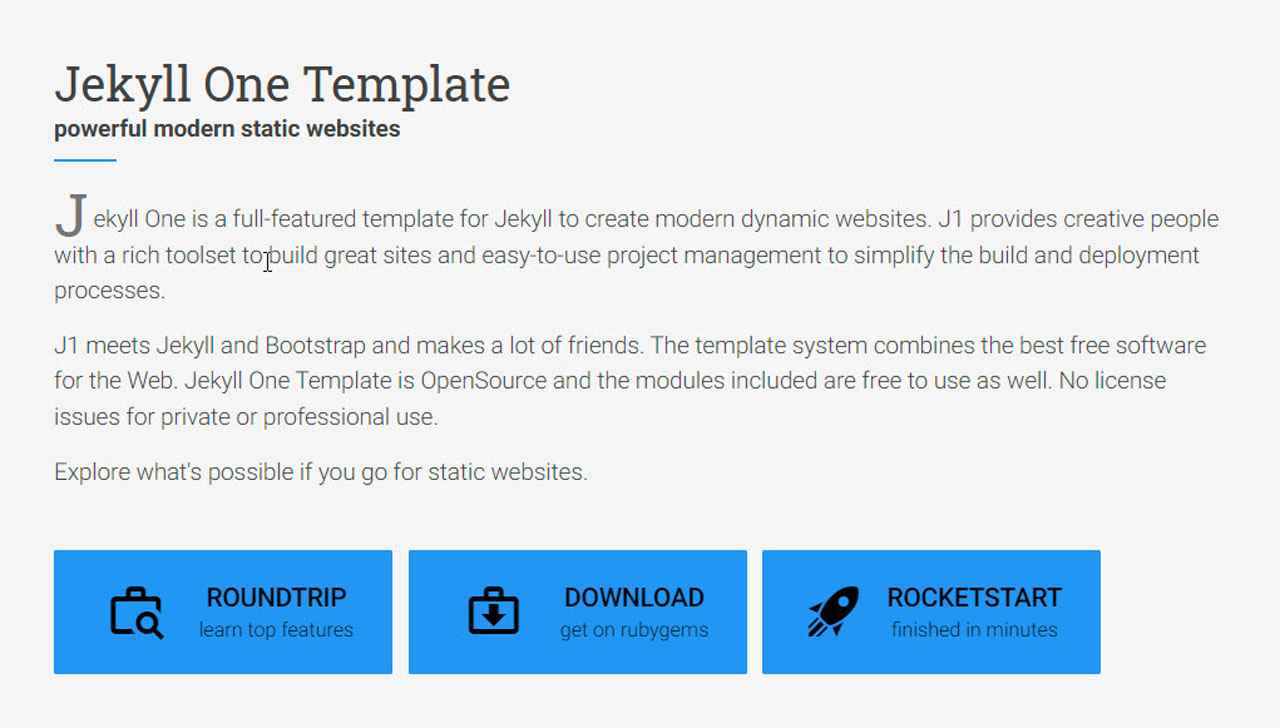
Banners and panels are powerful, configurable building blocks. They are mostly used on home pages and landing pages. You can find examples of how to use them in the starter web that comes with J1 Template, on its home page.
Blog Navigation
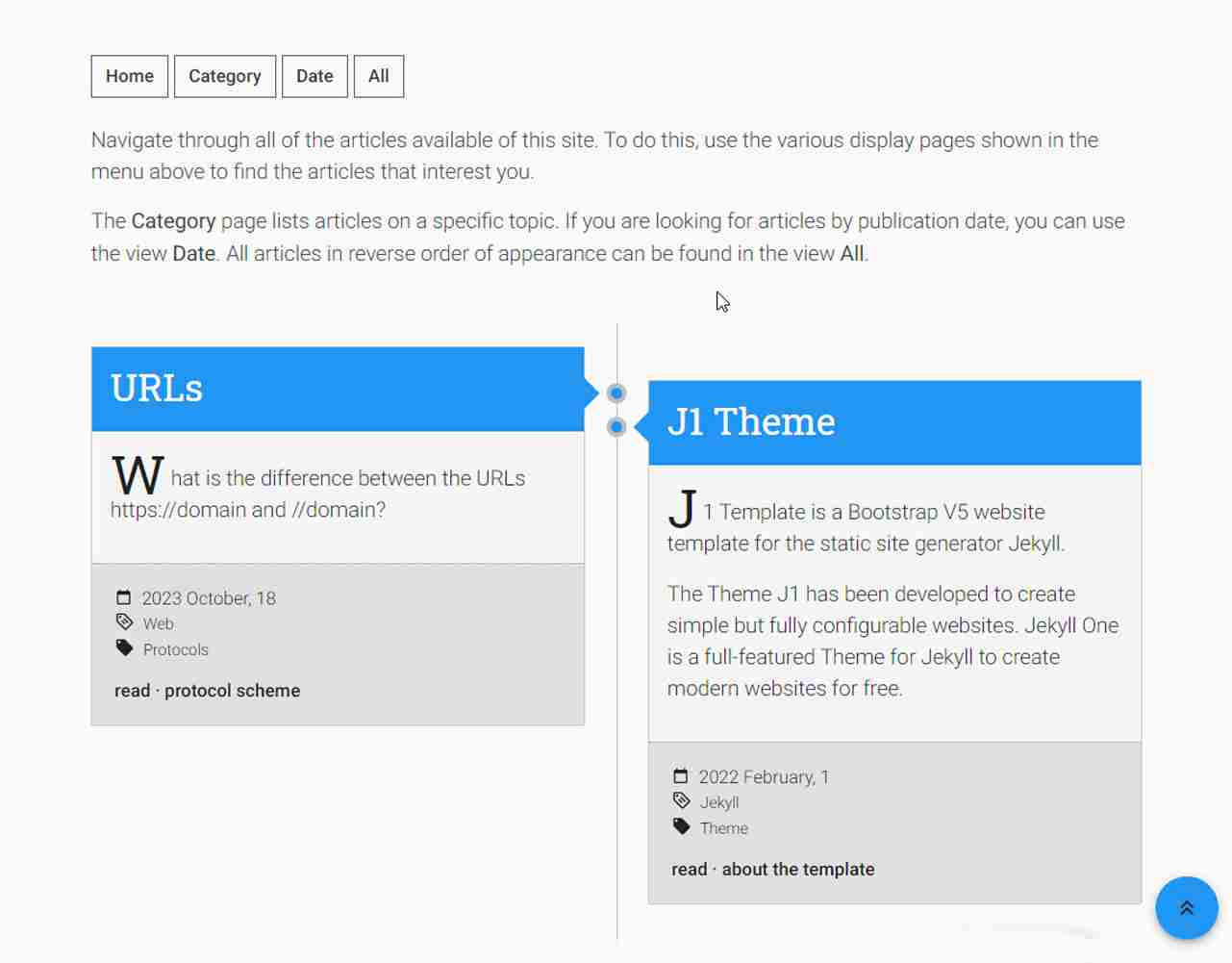
To help visitors find your blog articles, J1 includes an easy-to-use navigation module just for blog posts. The Blog Post Navigator builds different views of your articles automatically, so visitors can browse them by Category, by Date, or in a full Archive view.
Block elements
Banners and panels are powerful, configurable building blocks. They are mostly used on home pages and landing pages. You can find examples of how to use them in the starter web that comes with J1 Template, on its home page.
Sample content
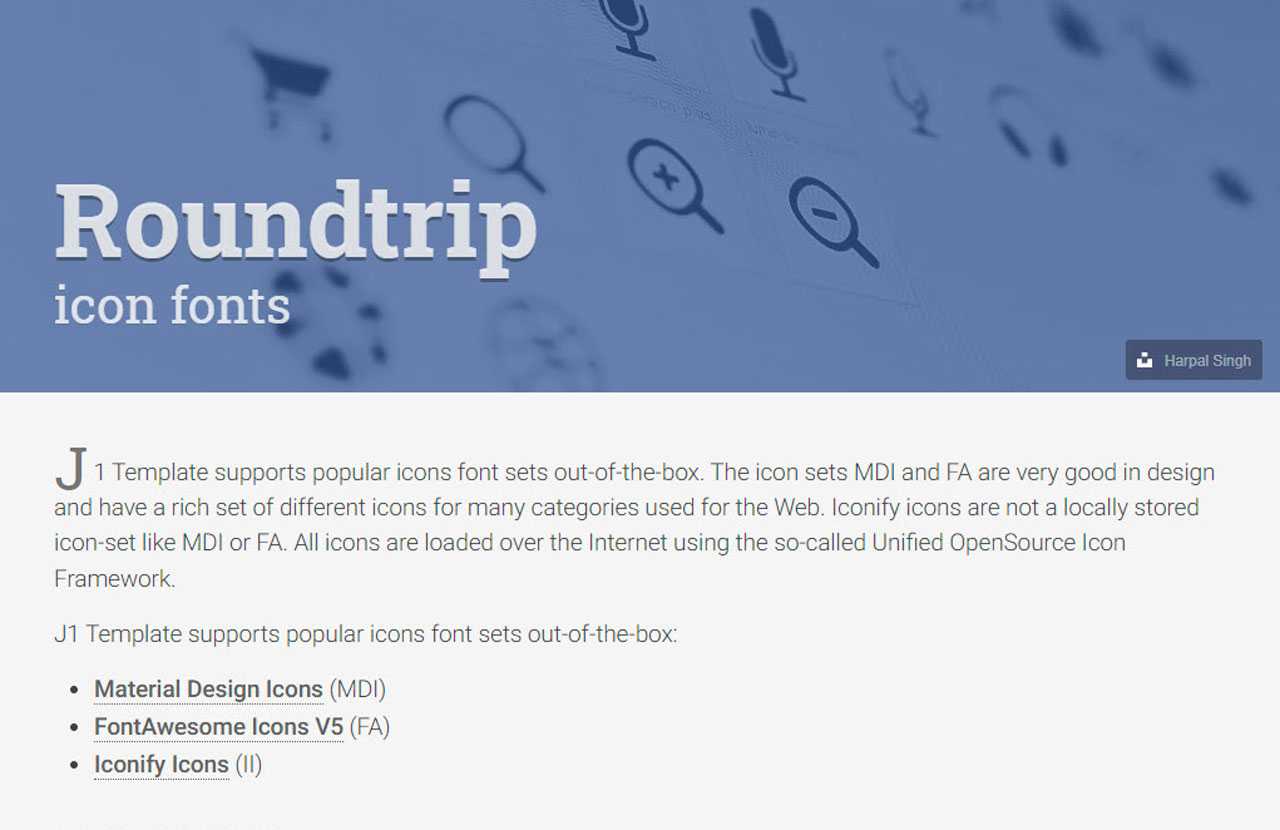
The pages in the roundtrip section all come from the starter web that ships with J1 Template. They give you many real-world examples that you can adapt for your own site with very little effort.
Royalty Free Images
All the images in the Starter Web — for example, the ones in the roundtrip section — are included with J1 Template. They come from Unsplash.com as royalty-free images. You can use them on your own site without paying any licence fees.
Integrations
The internet has changed a lot. The new digital world is the cloud, and cloud services are a fast-growing business. J1 Template connects to cloud services to extend what your site can do — for example, by adding comment systems or Bootstrap themes.
Bootstrap Themes (Bootswatch)
Comment providers
Google Analytics
Bootstrap Themes
The themes for the J1 template system are based on the free, open-source CSS framework Bootstrap V5. Using the standard Bootstrap styles gives your site a uniform look — across the overall layout, text, tables, and form elements — in every modern web browser.
The team at Bootswatch offers a great set of ready-made Bootstrap stylesheets in many different designs. There is no need to start from scratch, redefine all the Bootstrap variables, and rebuild the framework files to make a new theme.
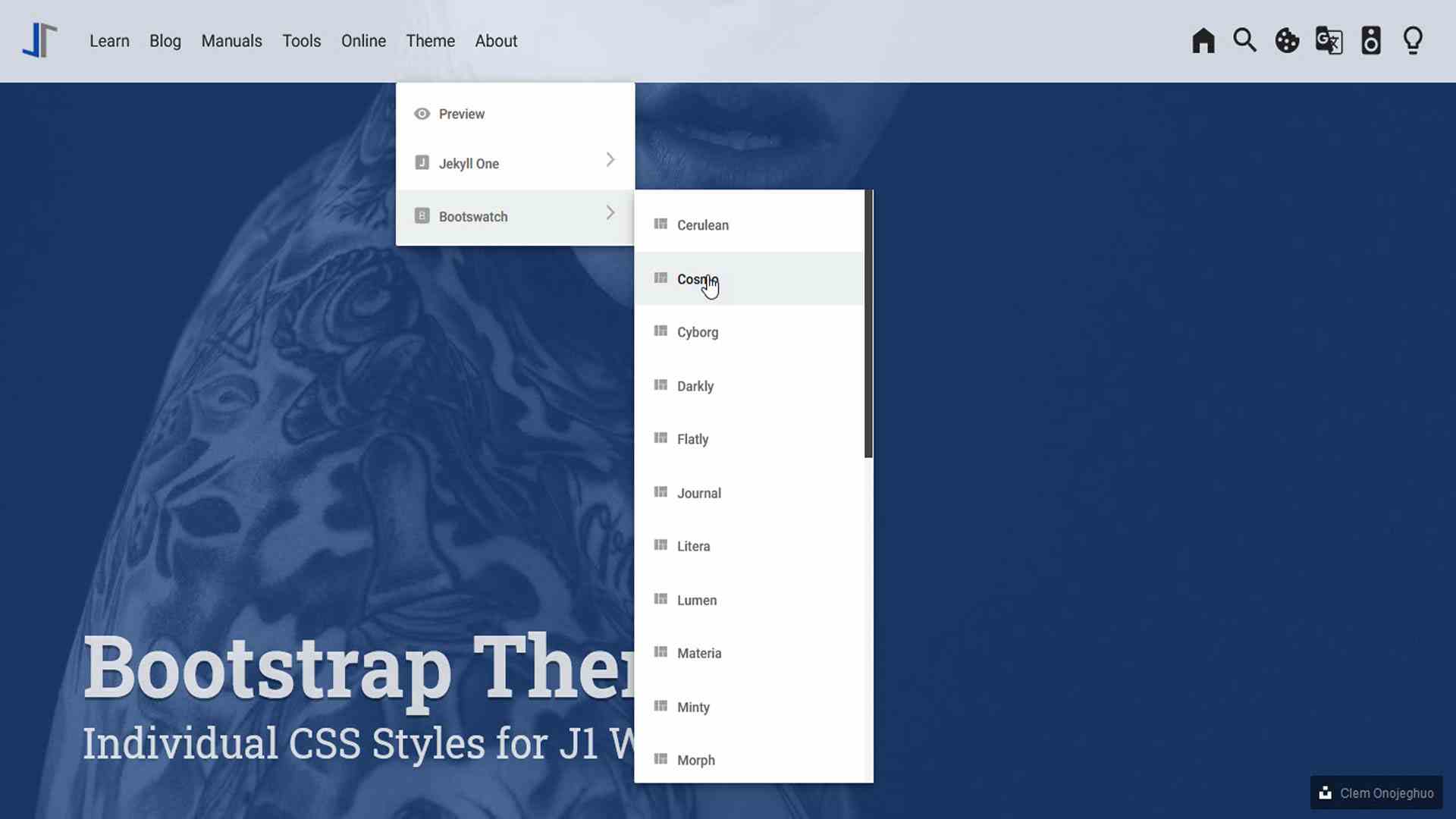
Many different styles are already available. The themes at Bootswatch are a solid base for your own changes — and your unique design. J1 connects to all the available Bootswatch themes through the navigator module.
Comment providers
Comments have become an important part of almost every website. People want to talk about what they read, watch, or hear, and they want to do it right where they found it — not on a separate social network.
J1 Template currently supports two comment providers: Disqus (DQC) and Hyvor (HVC). You can connect to either provider through pure configuration.
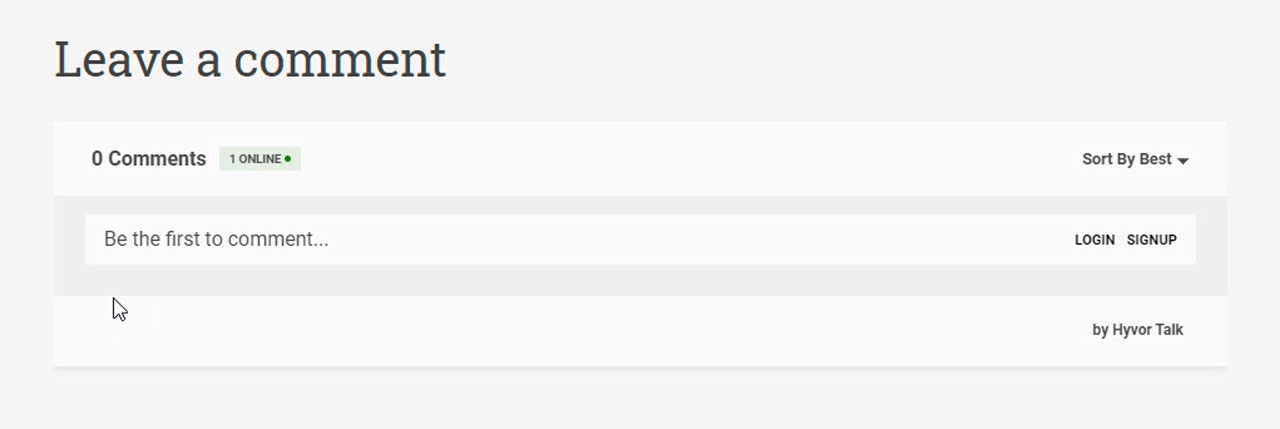
To get started, turn on the provider you want to use and add your account details to the configuration. That is all. After that, the comment section appears automatically on every post or page where you allow comments, ready for visitors to use.
# ------------------------------------------------------------------------------
# ~/_data/modules/comments.yml
# User configuration settings for J1 Comments Module
#
# Product/Info:
# https://jekyll.one
#
# Copyright (C) 2023-2026 Juergen Adams
#
# J1 Template is licensed under the MIT License.
# See: https://github.com/jekyll-one-org/j1-template/blob/main/LICENSE
# ------------------------------------------------------------------------------
# ------------------------------------------------------------------------------
# Description
#
description:
  title:                                J1 Comments
  scope:                                User settings
  location:                             _data/modules/comments.yml
# ------------------------------------------------------------------------------
# User configuration settings
#
settings:
  # ----------------------------------------------------------------------------
  # GENERAL options
  # ----------------------------------------------------------------------------
  #
  enabled:                              false
  # ----------------------------------------------------------------------------
  # Provider settings
  # ----------------------------------------------------------------------------
  provider:                             hyvor
  site_id:                              your-site-id
# ------------------------------------------------------------------------------
# END config
DQC is fully connected to our GDPR-compatible Cookie Consent module. If a visitor does not accept the cookies that Disqus needs, DQC is turned off automatically and any related cookies are deleted from the visitor’s device.
Google Analytics
Google Analytics (GAL) gives you a lot of data about how visitors find and use your site. You can see, for example, how many people visited a given page, how long they stayed, where in the world they are, and how well certain keywords work for your site.
You can connect Google Analytics through pure configuration. Just turn on the provider, add your account details to the configuration, and you are done.
# ------------------------------------------------------------------------------
# ~/_data/modules/analytics.yml
# User configuration settings for J1 Analytics module
#
# Product/Info:
# https://jekyll.one
#
# Copyright (C) 2023-2026 Juergen Adams
#
# J1 Template is licensed under the MIT License.
# See: https://github.com/jekyll-one-org/j1-template/blob/main/LICENSE
# ------------------------------------------------------------------------------
# ------------------------------------------------------------------------------
# Description
#
description:
  title:                                J1 Analytics
  scope:                                User settings
  location:                             _data/modules/analytics.yml
# ------------------------------------------------------------------------------
# User configuration settings
#
settings:
  # ----------------------------------------------------------------------------
  # GENERAL options
  # ----------------------------------------------------------------------------
  #
  enabled:                              false
  skipAllHosts:                         localhost, 127.0.0.1
  trackingID:                           <your-tracking-id>
  # ----------------------------------------------------------------------------
  # Provider settings
  # ----------------------------------------------------------------------------
  google:
    anonymizeIP:                        false
# ------------------------------------------------------------------------------
# END config
GAL is fully connected to our GDPR-compatible Cookie Consent module. If a visitor does not accept cookies for Analyses, Google Analytics is turned off automatically and any cookies from Google are deleted from the visitor’s device.